
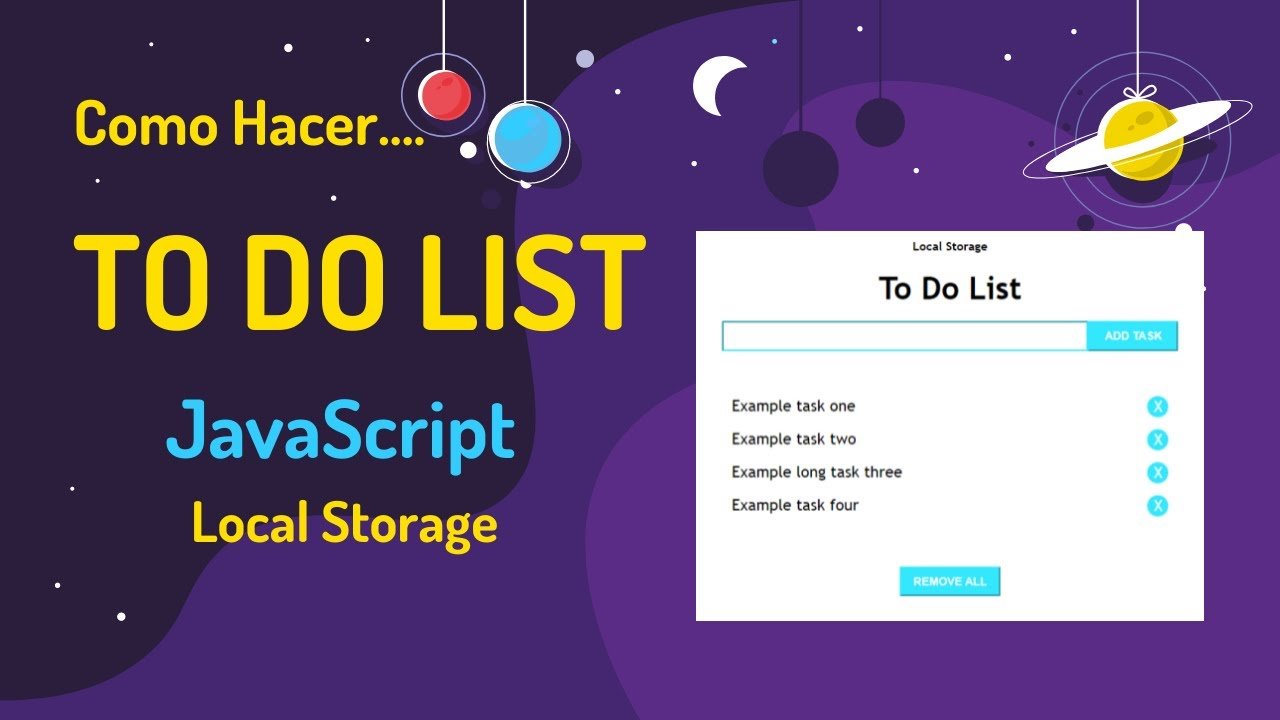
To Do List with Local Storage Using HTML CSS JavaScript Source Code
The To Do List with Local Storage is a simple yet powerful task management web application developed using HTML, CSS, and JavaScript. This project helps users organize their daily tasks, manage pending activities, and improve productivity through an intuitive and user-friendly interface.
One of the key features of this project is Local Storage integration, which allows tasks to remain saved even after the browser is refreshed or closed. This project is ideal for students, beginners, and web developers who want to learn JavaScript concepts such as DOM manipulation, event handling, data persistence, and responsive web design.
Key Features
- Add New Tasks Easily
- Edit Existing Tasks
- Delete Tasks Instantly
- Mark Tasks as Completed
- Automatic Data Saving Using Local Storage
- Persistent Task Management
- Responsive Design for Mobile and Desktop
- User-Friendly Interface
- Real-Time Task Updates
- Clean and Organized Layout
- Fast Performance
- Easy Customization
Technology Stack
- HTML5
- CSS3
- JavaScript (ES6)
- Browser Local Storage
- DOM Manipulation
Project Modules
1. Task Management Module
Allows users to create, update, and delete daily tasks efficiently.
2. Task Completion Module
Enables users to mark tasks as completed for better task tracking.
3. Local Storage Module
Stores task information in the browser to ensure data remains available even after refreshing the page.
4. User Interface Module
Provides a clean and interactive dashboard for task management.
5. Responsive Design Module
Ensures smooth usability across desktops, tablets, and mobile devices.
Learning Outcomes
- JavaScript Fundamentals
- DOM Manipulation
- Event Handling
- Local Storage Implementation
- Data Persistence Techniques
- Responsive Web Design
- User Interface Development
- Frontend Application Development
Project Structure
- index.html – Website Structure
- style.css – Styling and Responsive Design
- script.js – Task Management Logic
Who Can Use This Project?
- BCA Students
- MCA Students
- B.Tech Students
- Computer Science Students
- Web Development Beginners
- Frontend Developers
- Students Looking for Mini Projects
- Final Year Project Students
Benefits of This To Do List Project
- Improve Daily Productivity
- Organize Personal Tasks Efficiently
- Learn Practical JavaScript Concepts
- Understand Local Storage Usage
- Build Real-World Web Applications
- Enhance Frontend Development Skills
Future Enhancements
- Task Categories
- Priority Levels
- Due Date Management
- Task Search and Filters
- Cloud Database Integration
- User Authentication System
- Dark Mode Support
- Notification and Reminder System
Why Choose This Project?
The To Do List with Local Storage project is one of the most popular beginner-friendly JavaScript projects. It demonstrates how modern web applications store and manage user data without requiring a database. The project helps students understand frontend development concepts while creating a practical productivity application that can be extended with advanced features in the future.
Frequently Asked Questions (FAQs)
Q. Is complete source code included?
Yes, complete source code is included.
Q. Can I use this project for college submissions?
Yes, it is suitable for academic projects and demonstrations.
Q. Does this project require a database?
No, it uses browser local storage to save tasks.
Q. Will tasks remain after page refresh?
Yes, tasks are automatically saved using local storage.
Q. Is the project mobile responsive?
Yes, it works on desktop, tablet, and mobile devices.
Q. Can I customize the design and features?
Yes, the source code is fully customizable.
Q. Is this project suitable for beginners?
Yes, it is one of the best JavaScript projects for beginners.



Reviews
There are no reviews yet.